For Shopify purchase orders and transfers
Print barcode labels from Shopify purchase orders and transfers
Every label for a delivery in one go, on the printer you already own. It installs read-only, and writes only the barcodes, SKUs and stock you receive once you allow it.
Free plan, no card needed. Installing takes about a minute. You can also install from the Shopify App Store.
No store to connect? Use the free barcode label generator: paste your SKUs or barcodes, get a print ready PDF. No account, nothing stored.
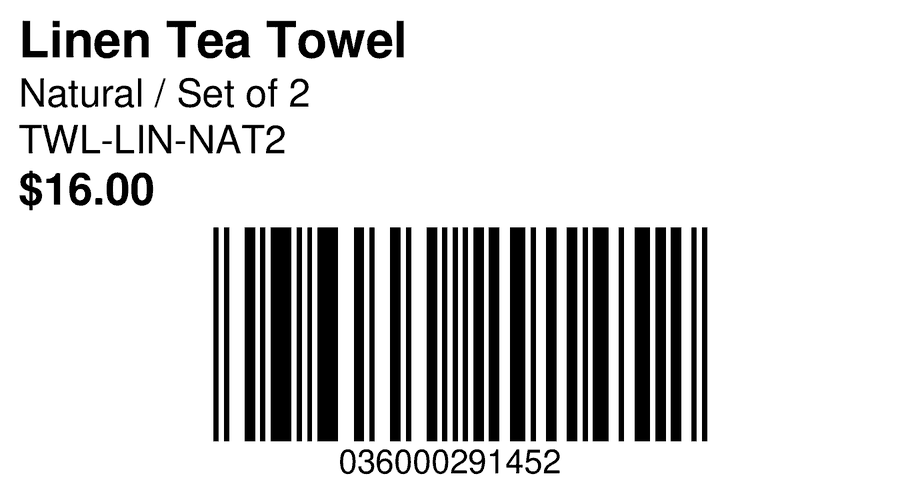
I measured whether the barcodes scan
Unreadable labels are the most common complaint in this category, so every preset here was test-printed and scanned before it went live.
What it does
Straight from the paperwork
Paste your purchase order lines, upload the CSV your supplier sent, or pull a native Shopify transfer. Quantities come from the document, so nobody retypes them and nothing starts at one label by accident. A partial delivery prints labels for only the units accepted so far, and each line shows what was printed before, so you can print only what isn't printed yet.
Read-only until you allow it
It installs with read access to products and transfers. It writes only the barcodes, SKUs and stock you receive, and only after you allow it in Shopify.
Half a sheet is not a wasted sheet
Tell it which label to start on and it fills the rest of a part-used Avery sheet. Reprints come back exactly as they printed the first time, from the saved job.
Supplier on the label
Supplier and supplier code print from the Shopify purchase order a transfer was made from, or from the purchase order file you upload. With neither, the supplier is the product's vendor.
Warnings before you print
If bars would come out too narrow, a title will not fit, or a line has no usable barcode, you see it on screen while it is still cheap to fix.
Real Zebra output
Native ZPL, not a picture of a label pushed through a driver. Custom roll and sheet sizes in millimetres or inches, with a fit check that refuses a grid which would run off the page.
Runs from Shopify Flow and Sidekick
Shopify Flow can print a transfer's, a product's or a location's labels to a print station on its own, give new products barcodes by your rules, and check every barcode on a schedule. Sidekick answers what printed, why a label warned, which deliveries came in and how to do anything in the app, and opens Transfers or Products with the labels ready. Flow's printing works on the free plan too, inside its 300 labels a month.
Printers and stock
Presets built to the published geometry, plus any custom size you need.
One job, done properly
This prints labels. It does not manage your inventory, and that is deliberate: it installs read-only, and writes only the barcodes, SKUs and stock you receive once you allow it.
So it stays out of the way of whatever you use for the rest. Keep your stocktakes, landed costs, reorder forecasting and accounting sync wherever they live now. This runs alongside them and handles the one part that Shopify admin still cannot do from a purchase order.
Pricing
Free
$0
300 labels a month
- In as many runs as you like
- All 43 built-in label sizes
- Print history and exact reprints
- A run that does not fit is refused before it starts
Pro
$12
per month, 7 day free trial, or $120 a year
- No monthly label limit, against 300 a month on Free
- The label designer and saved templates
- Custom label sizes and Zebra ZPL export
- Email support from the developer
- Label setup: send a photo or PDF of your label, get it back as a saved template
AK: PO & Barcode Label Printer is live on the Shopify App Store
The free plan needs no card. Install it from the apps.shopify.com/aislekit-label-print listing, or type your store domain in the box at the top of this page. Coming from Stocky? The Stocky guide covers what replaced each of its workflows.
Install from the Shopify App StoreMore apps from Aislekit
AK: Dynamic Pricing, Bulk Edit
Pricing rules and bulk edits for prices, stock, tags, SEO fields and metafields, with a preview, a receipt and an exact undo.
AK: Royal Mail Click and Drop
For UK shops: sends paid orders to your own Click & Drop account, shows each order's state and writes tracking back.